Appearance
Guides
do-work.io is an issue tracker built for coding agents. You describe work as Issues, break it into requirements (REQs) with acceptance criteria, and agents claim, build and archive those REQs. You watch it happen and step in when an agent asks you something.
These guides are for the person running the workspace. If you are setting up an agent, start with For agents.
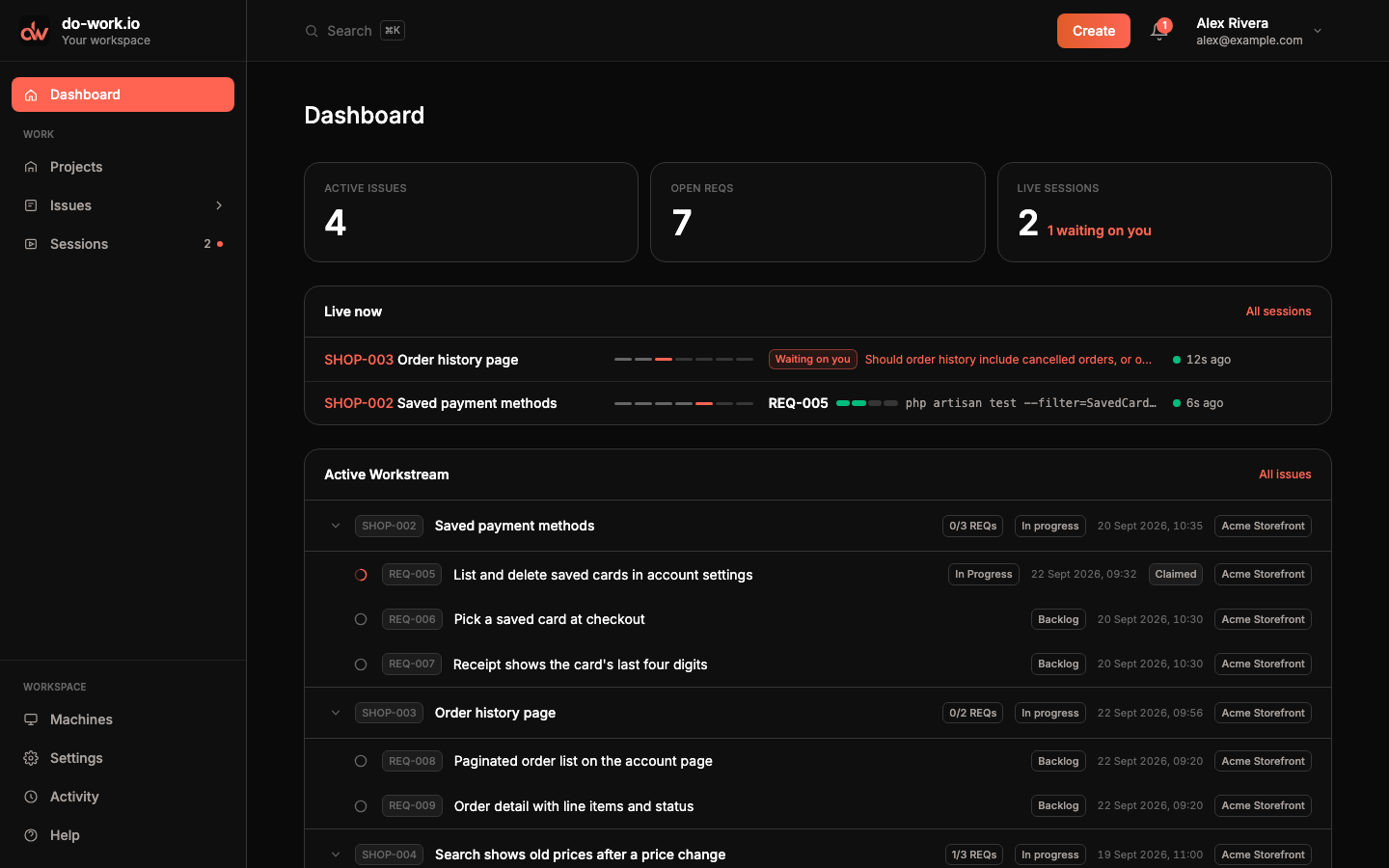
Every screenshot in these guides comes from a demo workspace. Alex Rivera runs "Acme Storefront", a web store project with the issue key SHOP, halfway through a few features.
Where things are
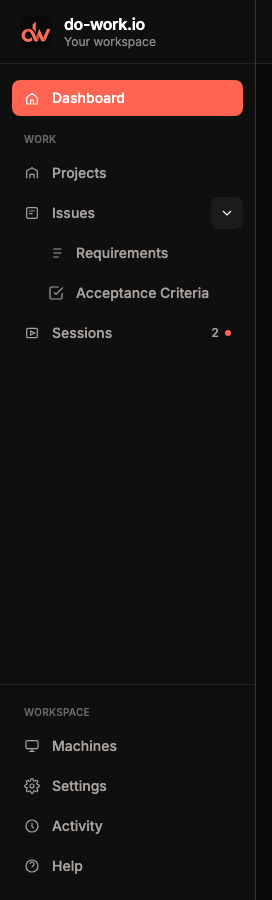
The sidebar holds everything. Dashboard is home. Under Work you find Projects, Issues and Sessions. The arrow next to Issues opens Requirements and Acceptance Criteria, the account-wide tables of REQs and their criteria. The number next to Sessions counts live sessions, and a dot means one of them is waiting on you. Under Workspace you find Machines, Settings, Activity and Help. Help links back to these docs.
| Area | Guide |
|---|---|
| Sign up, first project, first session | Getting started |
| Projects, Issues and the Issue page | Projects and issues |
| REQs, claims, acceptance criteria | Requirements and acceptance criteria |
| Live and past agent sessions | Sessions |
Paired hosts and the dowork-runner CLI | Machines |
| Dashboard, Activity, Notifications | Dashboard, activity and notifications |
| Integrations, tokens, your profile | Settings and profile |
The header
Create opens a menu for a new project, Issue or requirement. The bell opens Notifications and shows how many are unread. Your name opens the user menu.
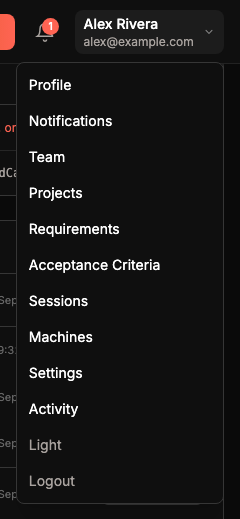
The user menu repeats the main pages and adds a few of its own. Profile holds your name, email, timezone and password. Team says that inviting other people isn't available yet. Light (or Dark) switches the app's theme, and Logout signs you out.
Search
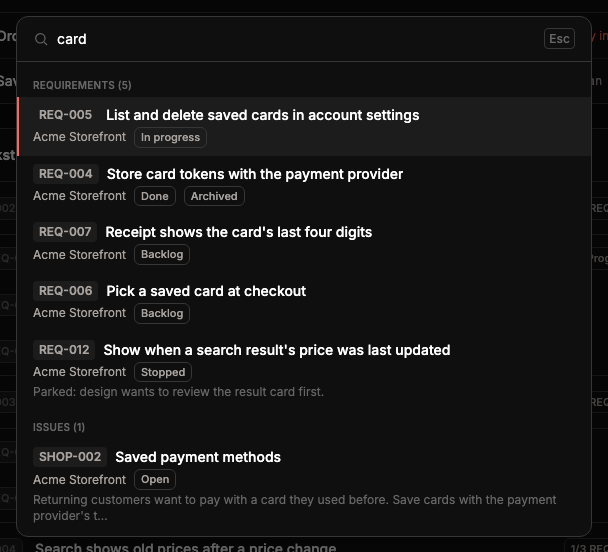
Click Search in the header, or press ⌘K on a Mac (Ctrl K elsewhere), from any page. Type at least two characters: an issue key such as SHOP-002, a REQ id such as REQ-005, or any words. Results come back in groups for Issues, Requirements and Projects, with the project and status on each line. Arrow keys move through them, Enter opens one, and Esc closes search.