
Appearance
Machines
Sessions run on hosts you pair with the app: your laptop, a desktop, a build box. Each host runs dowork-runner, the Go daemon that pairs the machine, reports a heartbeat and starts a Docker sandbox for each session. The Machines page lists your hosts, what they're running and their limits.
Your machines
Each machine shows its name and whether it is Online (a heartbeat within the last 90 seconds) or Offline, when it was last seen, and its Slots: how many of its containers live sessions fill, for example "2 of 3". A machine with every slot in use says Full.
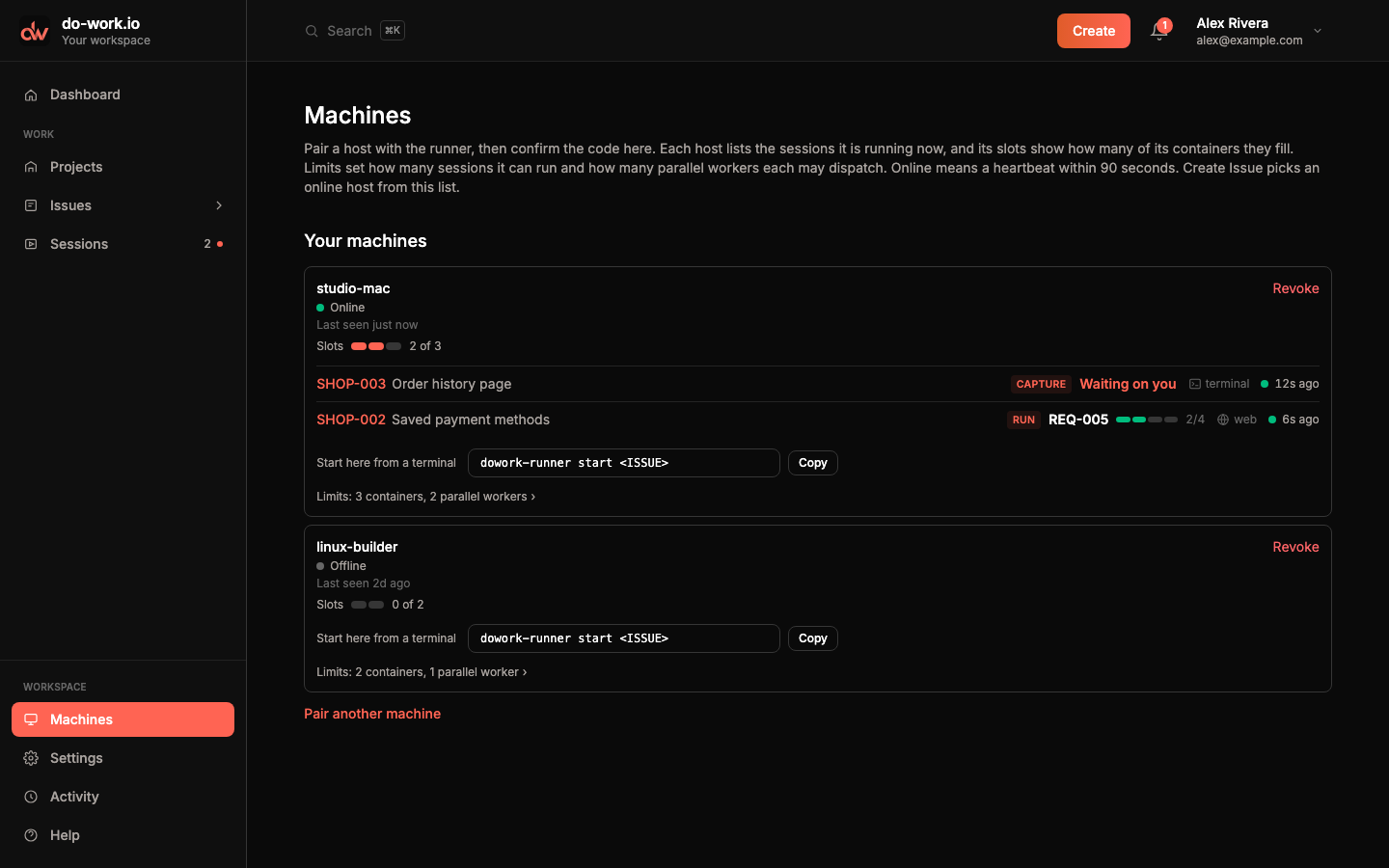
Under each machine you see the sessions running on it now. Each line shows the Issue, the phase, the REQ it holds with its criteria progress (or Waiting on you), whether it started on the web or in a terminal, and its signal. Click the Issue to open it.
Start here from a terminal shows the command to start a session on this machine, with a Copy button. Revoke asks you to confirm, then unpairs the machine. Sessions can't start on it until you pair it again.
Create issue and Start session pick from the online machines on this list.
Install the runner
Factory runs need a paired host. dowork-runner needs the Docker CLI and a running Docker daemon on that machine.
Install (macOS Homebrew, after a published release on original-solutions/dowork-runner):
bash
brew tap original-solutions/dowork
brew trust original-solutions/dowork
brew install original-solutions/dowork/runner
Do not brew services start this formula. Launchd is io.dowork.runner via dowork-runner install-service.
Curl fallback (same public release assets):
bash
curl -fsSL https://github.com/original-solutions/dowork-runner/releases/latest/download/install-runner.sh | bashFactory starts pull rawphp/dowork-runner:latest from Docker Hub.
Pair a machine
With no machines yet, the page opens on the pairing panels. Otherwise click Pair another machine.
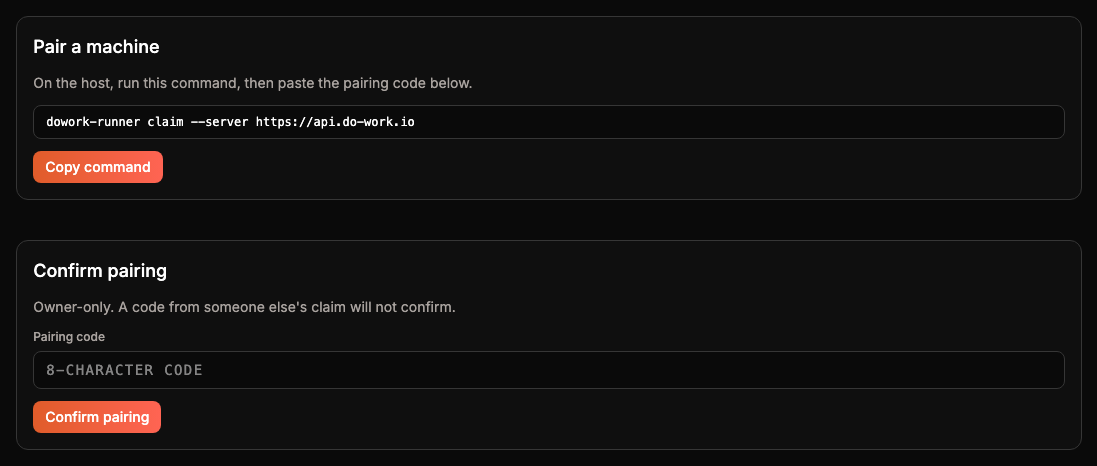
- On the host, run the claim command the page shows,
dowork-runner claim --server https://api.do-work.io. Copy command copies it. - The runner prints an 8-character pairing code. Type it into Pairing code and click Confirm pairing. Confirming is owner-only, so a code from someone else's claim will not confirm.
- Start the service on the host with
dowork-runner install-service. The page reminds you once the pairing is confirmed.
install-service writes LaunchAgent io.dowork.runner and starts it. To run in the foreground instead, use dowork-runner run. To reload, use dowork-runner restart. The machine shows Online once its first heartbeat arrives.
Limits
Click the Limits line under a machine to change them, then click Save.
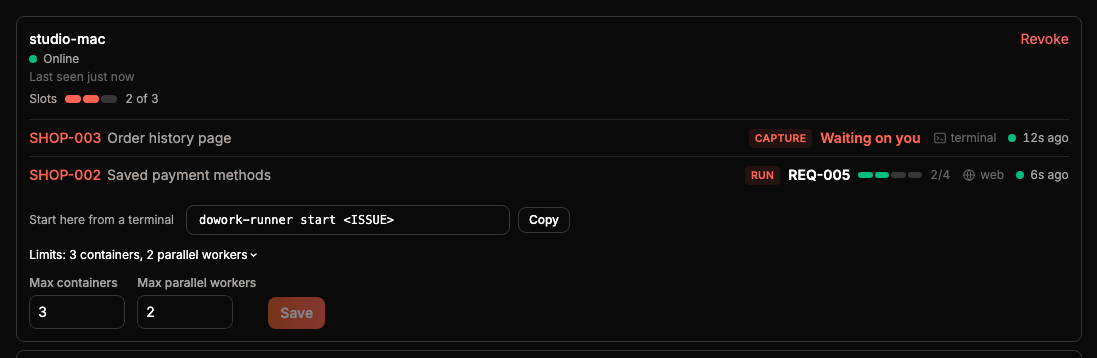
- Max containers is how many sessions the machine runs at once. It sets the number of slots.
- Max parallel workers is how many workers one session may dispatch at the same time, from 1 to 6.
Start and follow a session from a terminal
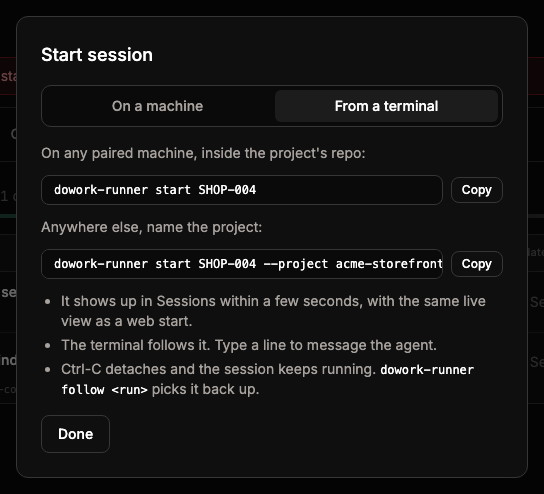
On a paired machine you can start a session and watch it without opening the app. The Issue's Start session dialog shows the exact commands on its From a terminal tab.
bash
dowork-runner start <ISSUE> [--project SLUG] [--parallel N]
dowork-runner follow <RUN> [--all]
start DW-108 starts a factory session for that Issue on this machine. Run it inside a clone of the project and the API finds the project from the clone's origin remote, matched against the project's GitHub repo. Anywhere else, name it with --project <project-slug>. --parallel N sets how many parallel workers the session may dispatch. It defaults to the machine's limit, set under Limits on Machines, and can't go above it.
The session runs in the runner service's Docker sandbox, not in your terminal. The service must be running on this machine. Start it with dowork-runner install-service, or run dowork-runner run in another terminal. If it isn't running, the API sees the machine as offline and start refuses. The session shows up in Sessions on the web within a few seconds, marked "Started in a terminal", with the same live view as a web start.
After starting, the terminal follows the session. It prints a summary line with the phase, REQ, AC progress, signal and what the agent is doing. Below it come milestones, such as claims and ticked ACs, and the transcript.
| Type | What happens |
|---|---|
| A line, then Enter | Sends it to the agent. The web shows it as "You · terminal". |
/stop-after | Stops once the session finishes its current REQ. |
/stop | Stops now and kills the sandbox. |
| Ctrl-C | Detaches. The session keeps running. |
follow <RUN> picks a session back up, for example after Ctrl-C. It prints the last 50 transcript lines, then follows live. --all prints the whole session first. You can follow only sessions on this machine.
A terminal can't answer a question gate. follow prints the question and you answer it on the web.
If the config file holds more than one paired entry, pick one with --name NAME. --config PATH points at another config file.
| Exit code | When |
|---|---|
| 0 | The session stopped, or you detached with Ctrl-C. |
| 1 | The session failed, the API refused start or the machine token, or the session isn't on this machine. |
| 2 | <ISSUE> or <RUN> is missing, or --parallel isn't a whole number of 1 or more. |